
Gaming Chair vs Office Chair: Which Is Better for Work and Play?
An ergonomic office chair suits long workdays; a gaming chair suits high-back support and deep recline. Compare lumbar, seat depth, armrests and warranty.
 By HomeOfficeAid
Updated November 28, 2026
This is general information, not medical advice. If you have back pain or another health condition, ask your doctor or a physical therapist what seating suits you.
In the gaming chair vs office chair choice, the short answer is this: a good ergonomic office chair is usually the better pick if you sit for a full workday, because it is built around fine adjustments such as seat depth, lumbar height and tilt; a gaming chair makes more sense if you want a high back, a head cushion and a deep recline for gaming or relaxing between sessions. Neither type is automatically better for your back. What matters is whether the specific chair adjusts to fit your body and your desk. This comparison is research-based: it uses ergonomics guidance from OSHA, the Canadian Centre for Occupational Health and Safety (CCOHS) and Cornell University, plus spec pages from Steelcase, Herman Miller, Corsair and DXRacer. We did not sit in or measure these chairs ourselves.
What Is the Difference Between a Gaming Chair and an Office Chair?
The two types start from different design goals. Most gaming chairs borrow from racing car seats: a tall back that reaches past the shoulders, raised side bolsters or flared edges on the seat and back, a pillow or cushion for the head, and a back that reclines far. Corsair, for example, describes its TC100 RELAXED as having “a racing-inspired design with relaxed side bolsters,” a detachable neck pillow and an adjustable lumbar pillow.
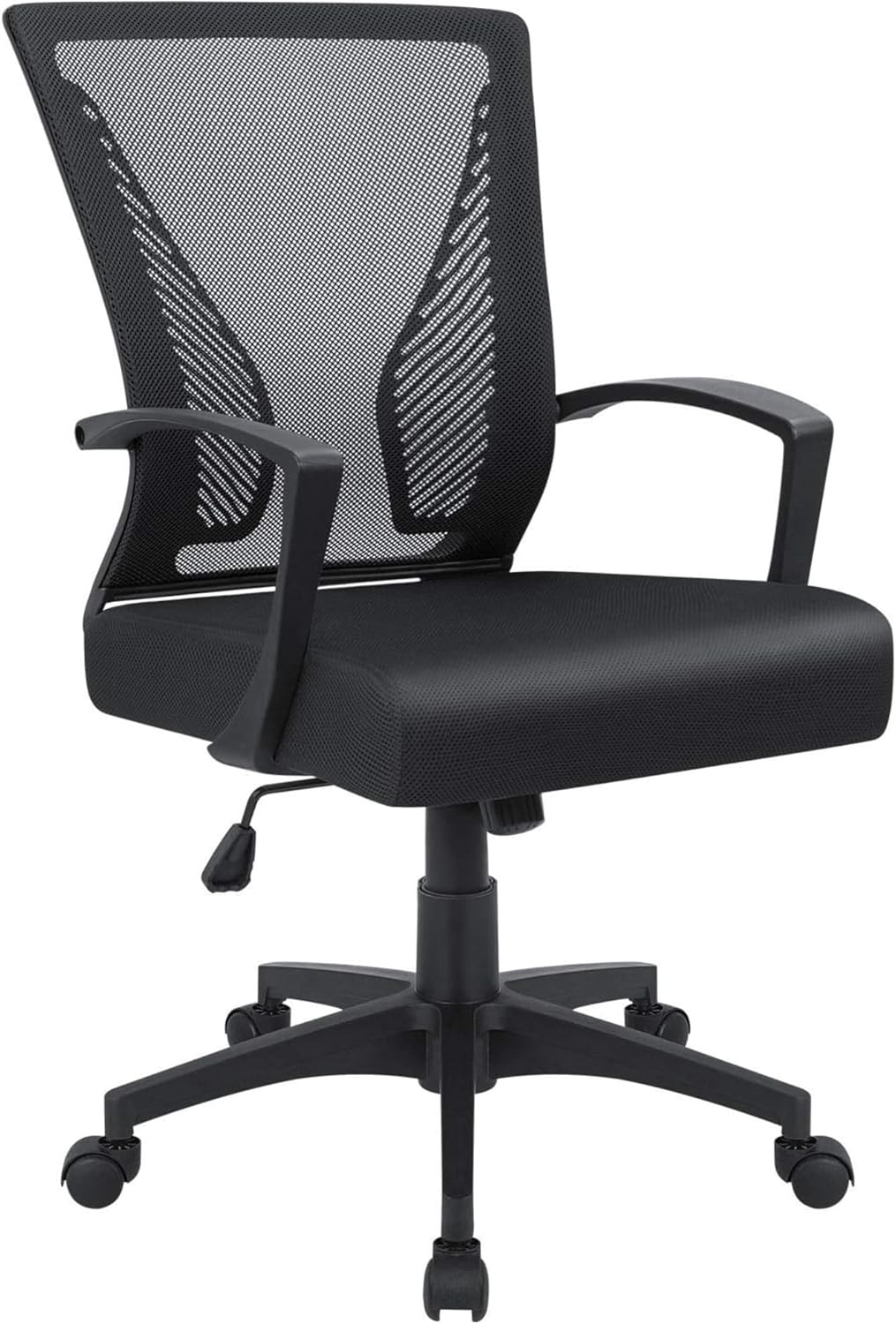
Ergonomic office chairs start from the checklist that workplace safety agencies use. OSHA’s computer workstation eTool says a chair should have adjustable height, a backrest that follows the curve of your spine with lumbar support, a seat pan that can adjust for depth, soft armrests and a five-legged base with casters. Office chairs from brands such as Steelcase and Herman Miller are built around those adjustments, usually in a mid-height back with mesh, fabric or leather.
So the real question is not “gaming or office” but “which adjustments do I need, and does this chair have them?” If you are shopping for a work chair, our guide to office chairs for long hours compares models by the adjustments they offer.
Gaming Chair vs Office Chair: Side-by-Side Comparison
The rows below compare typical features. The example figures come from the manufacturer pages listed in Sources, so you can see real numbers instead of marketing claims. Models vary a lot inside each type, so check the spec sheet of the exact chair you are considering.
| Factor | Typical gaming chair | Typical ergonomic office chair |
|---|---|---|
| Back height | High back with a head cushion or neck pillow | Mid or high back; headrest often optional |
| Seat shape | Side bolsters or flared edges (Corsair TC100: “relaxed side bolsters”) | Flatter seat with a rounded front edge, as OSHA recommends |
| Lumbar support | Often a strap-on pillow (Corsair TC100); some have built-in lumbar (DXRacer Craft: “2D Integrated Lumbar Support”) | Built into the back; Steelcase Leap has height-adjustable lumbar plus a lower back firmness dial |
| Recline | Deep recline (Corsair TC100: 90 to 160 degrees) | Tilt with stops for working upright; Leap has four recline stops and an upright lock |
| Armrests | 2D on budget models (TC100), 4D on some higher-end ones (DXRacer Craft) | 4D on many task chairs (Leap: height, width, depth and pivot) |
| Seat depth | Often fixed | Adjustable on many models, or sold in sizes (Aeron: 16, 17 and 18.5 inch seat depth for sizes A, B and C) |
| Upholstery | PU or EPU leatherette, or fabric | Mesh, fabric or leather |
| Weight limit (examples) | Corsair TC100: 264 lb; DXRacer Craft: under 275 lb | Steelcase Leap: up to 400 lb (Leap Plus up to 500 lb) |
| Warranty (examples) | Corsair TC100: two years | Steelcase Leap and Herman Miller Aeron: 12 years |
A note on the table: the office chair examples here are premium task chairs, so they are not a like-for-like match with a budget gaming chair. The point is to show which features each design tends to prioritize, not to suggest every office chair has a 12-year warranty.
Which Is Better for Your Back?
Neither label guarantees good back support. The guidance from OSHA and CCOHS focuses on adjustability: a backrest that fits the natural curve of your spine, lumbar support you can move to sit in the small of your back, and a seat that lets your feet rest flat on the floor. A chair of either type that offers those adjustments, and that you actually set up, can support a healthy posture. A chair of either type that does not fit you will not. If your chair’s backrest misses the curve of your lower back, see our guide on positioning a lumbar support pillow.
Two design differences are worth knowing. First, lumbar support on many gaming chairs is a separate pillow held by straps. You can move it, but it can slip, and its firmness is fixed. Office chairs more often build the lumbar support into the backrest, and some let you change its height and firmness. Second, the side bolsters on a racing-style seat can feel snug if your hips or thighs are wider than the seat. Cornell University’s ergonomics tutorial suggests a seat pan at least one inch wider than your hips and thighs on each side, so check the seat width against your own measurements.
Once you have a chair, the setup matters as much as the model. Our step-by-step guide on how to adjust an office chair walks through seat height, depth, lumbar and armrests, and the same steps work on a gaming chair.
Comfort for Long Workdays vs Long Gaming Sessions
How you sit during the session matters. Office work usually means sitting fairly upright, leaning toward a keyboard and screen for hours. That is where seat depth, lumbar position and tilt tension do the most work. OSHA also suggests a chair that lets you recline at least 15 degrees from vertical, which most office and gaming chairs can do.
Gaming often mixes upright play with leaning back, for example when you play with a controller or watch a stream. A deep recline, a tall back and a head cushion are useful there, and those are the features gaming chairs put first. If you mostly play with a mouse and keyboard at a desk, you will sit much like you do at work, and the office chair features matter more. Your mouse setup counts too; our gaming mouse guide covers shapes and grips for long sessions.
No chair removes the need to move. CCOHS notes that five minutes of moderate to vigorous activity, such as walking, for every 40 to 50 minutes of sitting can help.
Materials, Heat and Cleaning
Many gaming chairs use PU or EPU leatherette, a synthetic leather-like covering. Cornell’s tutorial notes that vinyl and vinyl-like coverings are easy to clean and spill resistant but do not breathe, and CCOHS says a seat surface should usually be made of breathable materials that limit heat and moisture buildup. If you run warm or sit for long hours in a warm room, a mesh or fabric chair (or a gaming chair with a fabric option, which both Corsair and DXRacer offer) may feel more comfortable.
The trade-off is care. Leatherette wipes clean, while fabric and mesh need vacuuming and spot cleaning. Our guide on how to clean an office chair covers mesh, fabric and leather-type surfaces.
Durability and Warranty
Warranty length is one of the clearest signals a maker gives about how long it expects a chair to last. Corsair lists a two-year warranty on the TC100 RELAXED. Steelcase backs the Leap with what it calls a Limited Lifetime warranty of 12 years, multi-shift, covering parts and labor, and Herman Miller lists a 12-year, 3-shift warranty for the Aeron. Warranty terms vary widely between models of both types, so compare the terms of the specific chairs you are considering rather than the category.
Wear parts are similar on both types: the gas cylinder, the tilt mechanism and the casters. If a chair starts to drop or creak, see our guides on fixing a sinking office chair and fixing a squeaky office chair.
Which Should You Choose?
- Choose an ergonomic office chair if the chair is mainly for work, you sit for most of the day, you need seat depth adjustment (very tall or short users), or you share the chair with others.
- Choose a gaming chair if you want a high back and head support, you often lean back to play or watch, you like the look, and the seat width and lumbar fit your body.
- Consider a hybrid if you split time evenly. Some gaming chairs now have built-in lumbar support and 4D armrests (DXRacer Craft is one example), and some office chairs offer a headrest option.
- Check the space either way. A deep recline needs room behind the chair, and a tall back may not fit under a low shelf. Our small office chairs guide covers compact options for tight rooms.
Office Chairs to Compare
If you lean toward an office chair, these mesh task chairs come from our guides to office chairs for long hours and small office chairs. Compare the adjustments on each listing with the checklist above before you buy.
Affiliate disclosure: As an Amazon Associate I earn from qualifying purchases. Links to Amazon in this article are affiliate links. Learn more.

Pros
- Arms adjust for height and width
- Adjustable lumbar, tilt mechanism
- Lifetime warranty per listing
Cons
- Listing gives one seat height, no range
- No headrest; casters listed for hard floors

Pros
- Adjustable headrest and lumbar
- Listed for users about 5'6" to 6'2"
- 330 lb capacity, tilt lock
Cons
- Not sized for petite users
- Listing has conflicting model and size data
Pros
- 19.7 x 19.7 in footprint
- Arms plus reclining backrest
- Seat height 16.5 to 20.5 in
Cons
- Fixed arms need desk clearance
- Long 19.7 in seat for shorter users
Frequently Asked Questions
Are gaming chairs and office chairs the same?
No. Both are adjustable swivel chairs on casters, but gaming chairs usually have a racing-style shape, a high back, head and lumbar pillows and a deep recline, while ergonomic office chairs focus on fine adjustments for upright desk work, such as seat depth and built-in lumbar support.
Are gaming chairs bad for your back?
Not by design. Back comfort depends on whether the chair fits you and is set up correctly. Check that the lumbar support sits in the small of your back, your feet rest flat on the floor, and the seat is wide enough for your hips. For back pain, ask a health professional.
Can I use a gaming chair as an office chair?
Yes, if it has the adjustments OSHA lists for computer work: adjustable height, lumbar support that fits your lower back, a seat that suits your leg length, and armrests that let your shoulders relax. Many people use one for both work and play.
Why do gaming chairs recline so far?
Deep recline is meant for resting, watching or playing with a controller. Corsair lists 90 to 160 degrees for the TC100 RELAXED. For typing at a desk, you will usually sit closer to upright, so recline range matters less for work.
Is mesh or leatherette better for a home office chair?
Mesh and fabric breathe better, which can help in warm rooms or long sessions. Leatherette is easier to wipe clean. CCOHS recommends breathable seat materials that limit heat and moisture buildup.
Conclusion
For most people who work from home, an ergonomic office chair is the safer default because it is designed around the adjustments workplace safety guidance calls for. A gaming chair is a reasonable choice if you value a high back, head support and deep recline, as long as you check the seat width, lumbar design and armrest adjustments before you buy. Whatever you choose, set it up to fit your body and get up and move regularly. For a full desk setup, see our guide on how to set up a home office.
Sources
- OSHA, Computer Workstations eTool: Chairs
- CCOHS, Office Ergonomics: Chair
- CCOHS, Working in a Sitting Position: Overview
- Cornell University Ergonomics Web, Ergonomic Guidelines for Arranging a Computer Workstation: Choosing a Chair
- Steelcase, Leap Chair
- Herman Miller, Aeron Chair Specs
- Corsair, TC100 RELAXED Gaming Chair
- DXRacer, Craft Series Gaming Chair
About the author

HomeOfficeAid writes reviews and buying guides for HomeOfficeAid.