
How to Fix a Squeaky Office Chair in 7 Steps
Find where the noise starts, tighten every bolt, lubricate the tilt mechanism and casters with a suitable product, and stop using the chair if you find a crack or wobble.
 By HomeOfficeAid
Updated November 28, 2026
How do you fix a squeaky office chair? Find exactly where the noise comes from, then work from the simplest fix to the most involved: tighten every bolt and screw, lubricate the tilt mechanism and seat tension spring, and clean and lubricate the casters. Chair makers such as Corsair and Trust put loose hardware first on their own troubleshooting lists, and most squeaks stop at that stage. If the noise continues after tightening and lubrication, or you see a crack or a wobble, stop using the chair and contact the manufacturer, because that is a repair or warranty job, not a lubrication job.
This is a research-based guide built from support articles and care documents published by chair and lubricant makers, including Corsair, Trust, IKEA, The Seating Shoppe and WD-40, plus warranty terms from Herman Miller and Steelcase. It is not a record of our own repairs. Chairs are built differently, so your chair’s manual and the maker’s support team always take priority over a general guide. If your chair is worn out and you are shopping for a replacement, our guide to the best office chairs for long hours compares models by adjustment range and listed weight capacity.
What You Need
- A screwdriver set and a set of hex (Allen) keys; many chairs ship with the hex key used for assembly
- A lubricant suited to the parts and materials involved (see the lubricant section below)
- A few clean cloths or paper towels to wipe away dust and excess lubricant
- Scissors or a seam ripper for hair wrapped around casters
- Your chair’s assembly manual, or the model number from the sticker under the seat so you can look it up
Where Office Chair Squeaks Come From: Quick Reference
| When it squeaks | Likely source | First thing to try |
|---|---|---|
| When you sit down or shift your weight | Loose bolts between the seat and the mechanism, or loose armrest screws | Tighten all fasteners |
| When you lean back or rock | Tilt mechanism or seat tension spring | Lubricate the spring and pivot points |
| When you swivel | Swivel joint where the cylinder meets the mechanism | Tighten the mechanism bolts, then check the seat plate for cracks |
| When you roll | Casters, often with hair or debris on the axle | Clean, then lubricate each wheel |
| When you lean on the armrests or backrest | Armrest or backrest mounting screws | Tighten, or remove and remount that part |
The table is a starting point based on the troubleshooting advice in our sources. The source of a squeak is not always where it seems, so confirm it in step 1 before you start working on a part.
How to Fix a Squeaky Office Chair in 7 Steps
1. Find exactly where the squeak comes from
Sit in the chair and repeat the movement that causes the noise: sit down, lean back, swivel, roll, and press on each armrest. Note which movement triggers it. Then get up and move parts by hand: rock the backrest, wiggle each armrest, and spin each caster. Turning the chair on its side or upside down on a soft surface makes the underside easier to see. Pinning the noise to one area saves you from taking apart parts that were never the problem.
2. Check the manual and warranty before you take anything apart
Look up your model on the maker’s support site before you remove parts. Many chairs carry long warranties on the very parts that squeak. Herman Miller says that, with limited exceptions, its products are covered by a 12-year warranty that includes parts and labor. Steelcase’s limited lifetime warranty for the Americas lists 12 years for seating mechanisms and pneumatic cylinders, though it points retail consumers to a separate consumer warranty. Steelcase’s terms also exclude normal wear and tear and alteration or modification of the product, which is a good reason to stick to the maker’s own instructions. The Seating Shoppe’s maintenance guidelines make the same point: when a chair needs repair, contact customer service and follow its guidance to keep warranty coverage.
3. Tighten every bolt and screw
This is the fix every source we reviewed puts first. Corsair’s guide for its gaming chairs says to check whether the noise comes from loose nuts, bolts or screws before lubricating anything, and to tighten any that are loose. IKEA’s support page explains why chairs loosen: products designed for self-assembly have screws that may loosen over time, and IKEA recommends retightening them regularly. Work through the bolts that join the seat to the mechanism, the backrest bolts and the armrest screws.
If tightening does not help, Trust’s support article for its gaming chairs suggests checking each assembly step against the manual, tightening all screws and, if needed, removing and remounting the part that makes the noise. A part assembled slightly out of line can rub or click even when every screw is tight.
4. Lubricate the tilt mechanism and seat tension spring
If the chair squeaks when you lean back, the tilt mechanism under the seat is the usual suspect. Corsair’s guide says to apply lubricant to the chair’s mechanisms and, if the back squeaks when you lean on it, to remove the seat tension knob and lubricate the tension spring inside. Corsair also notes that you may want to remove bolts and screws to lubricate them more thoroughly before putting them back. Wipe away dust first, apply a small amount to pivot points and metal-on-metal contacts, then rock the chair several times to work it in and wipe off any excess.
Do not try to open a sealed mechanism housing. If the noise comes from inside a part you cannot reach without disassembling it, that is the point to contact the manufacturer.
5. Clean and lubricate the casters
If the noise appears only when you roll, turn the chair over and look at each wheel. Hair and lint wrap around caster axles and make wheels drag and squeak, so cut or pick away what you can reach first. Corsair’s instructions for squeaky wheels are to spray lubricant on each wheel, turn the chair back upright and roll it around to spread the lubricant through the whole wheel.
iFixit’s community repair guide for one common twin-wheel caster shows that, on that design, the two wheels press onto a shared shaft and can be pried apart for cleaning. The same guide notes a split of opinion on lubrication: some prefer a light oil, while others say oil attracts more dirt and use dry graphite or nothing at all. Not every caster comes apart, so check your manual before you pry. For a deeper clean of wheels and upholstery, see our guide on how to clean an office chair.
6. Inspect the seat plate, base and cylinder
While the chair is on its side, look for cracks in the plastic or metal base, cracked welds or a bent seat plate, and check whether the seat wobbles on the cylinder. A squeak from a cracked part is a warning, not a nuisance. The Seating Shoppe’s guidelines say that a chair needing immediate repair because of damage or malfunction should be removed from use. OSHA’s computer workstation guidance also says a chair should have a five-leg base with casters, and that chairs with four or fewer legs may provide inadequate support and are prone to tipping, so do not keep using a base that has lost a leg or a caster.
If the noise comes from the gas cylinder and the seat also drifts down while you sit, lubricant is not the fix. The cylinder is a sealed, pressurized part, so do not drill, cut or heat it. Our guide on how to fix a sinking office chair covers the warranty check and cylinder replacement.
7. Check the fix, then keep the squeak from coming back
Sit down and repeat the movement that caused the noise. If it is gone, wipe off any lubricant that has dripped onto the floor or upholstery. Corsair’s advice for preventing future squeaks is to treat the chair gently: sit down rather than drop into it, and avoid putting unnecessary stress on it. The Seating Shoppe recommends regular inspections for loose screws, bolts and joints, along with checks that casters, swivel and recline functions still move smoothly. Because parts can shift while you work, finish by resetting seat height, armrests and lumbar support with our guide on how to adjust an office chair.
Which Lubricant to Use on an Office Chair
Lubricant advice for chairs varies, and chair makers rarely name a specific product. Corsair suggests a WD-40 spray, or asking a local store what suits your chair. Here is what the lubricant maker itself says about two common options:
- Silicone spray: WD-40 describes its Specialist Silicone Lubricant as safe on most metals, plastics, rubbers and vinyl when used as directed, and says it leaves a clear film that reduces the attraction of dirt. That makes silicone a reasonable choice for a chair mechanism that mixes metal and plastic parts.
- WD-40 Multi-Use Product: WD-40 says the original product is a blend of lubricants as well as a water displacer, but also that it is not a grease. Its own guidance lists polycarbonate and clear polystyrene plastics as surfaces to avoid, because they can react poorly with petroleum-based products.
Both WD-40 pages advise trying the product on a small, hidden area first when you are unsure about a surface. Whatever you use, apply it sparingly, keep it off fabric, mesh and leather, and wipe away the excess so it does not collect dust or stain your clothes.
When a Squeaky Chair Is Not Worth Fixing
A chair that squeaks again soon after you tighten and lubricate it, one with a cracked base or seat plate, or one whose mechanism is out of warranty and cannot be serviced is often better replaced. If you work in a small room, our picks for the best small office chairs cover compact mesh and armless designs. A new chair is also a good moment to revisit the rest of your workstation, which our guide on how to set up a home office walks through.
Replacement Chairs if Yours Is Past Fixing
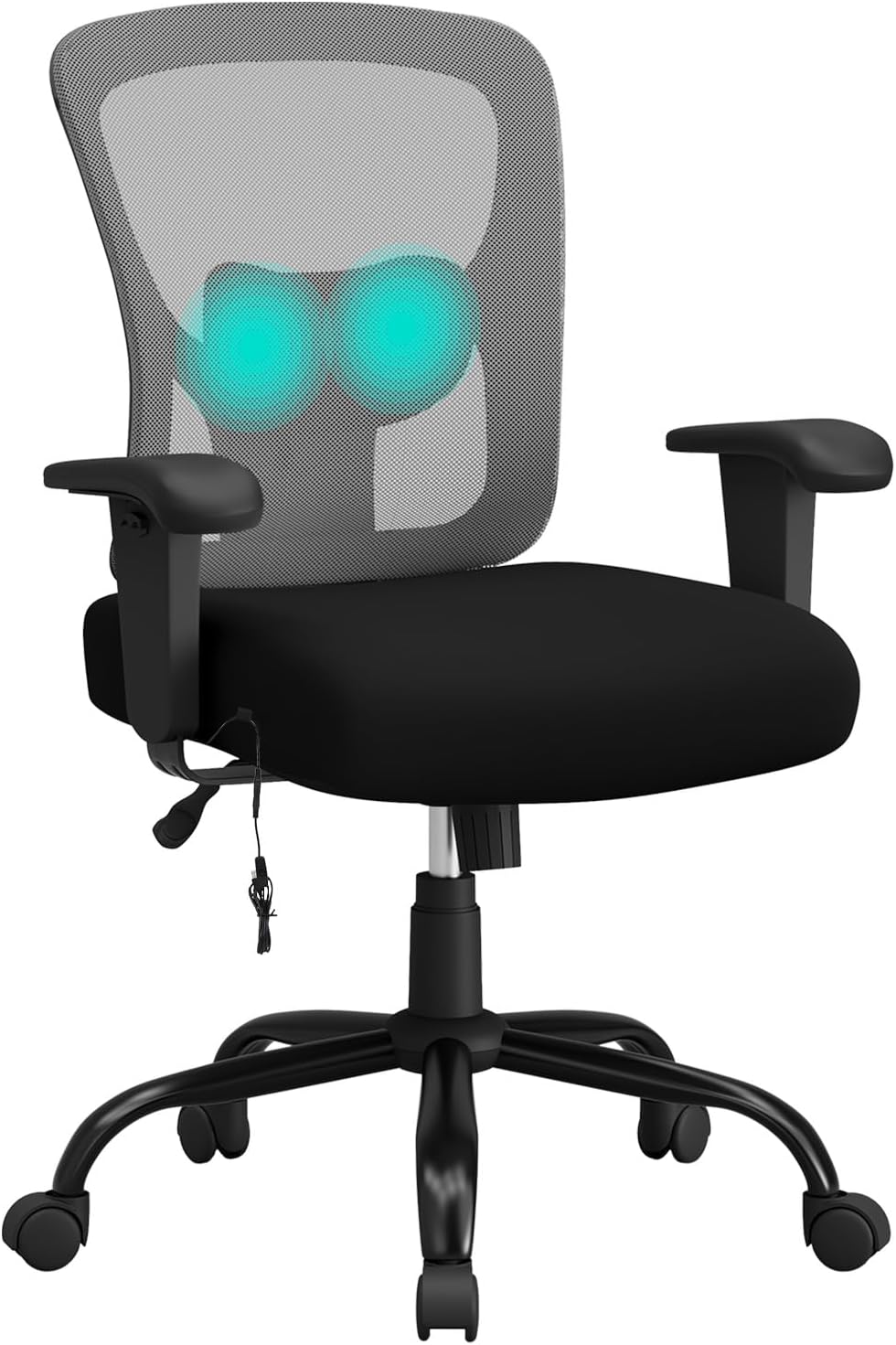
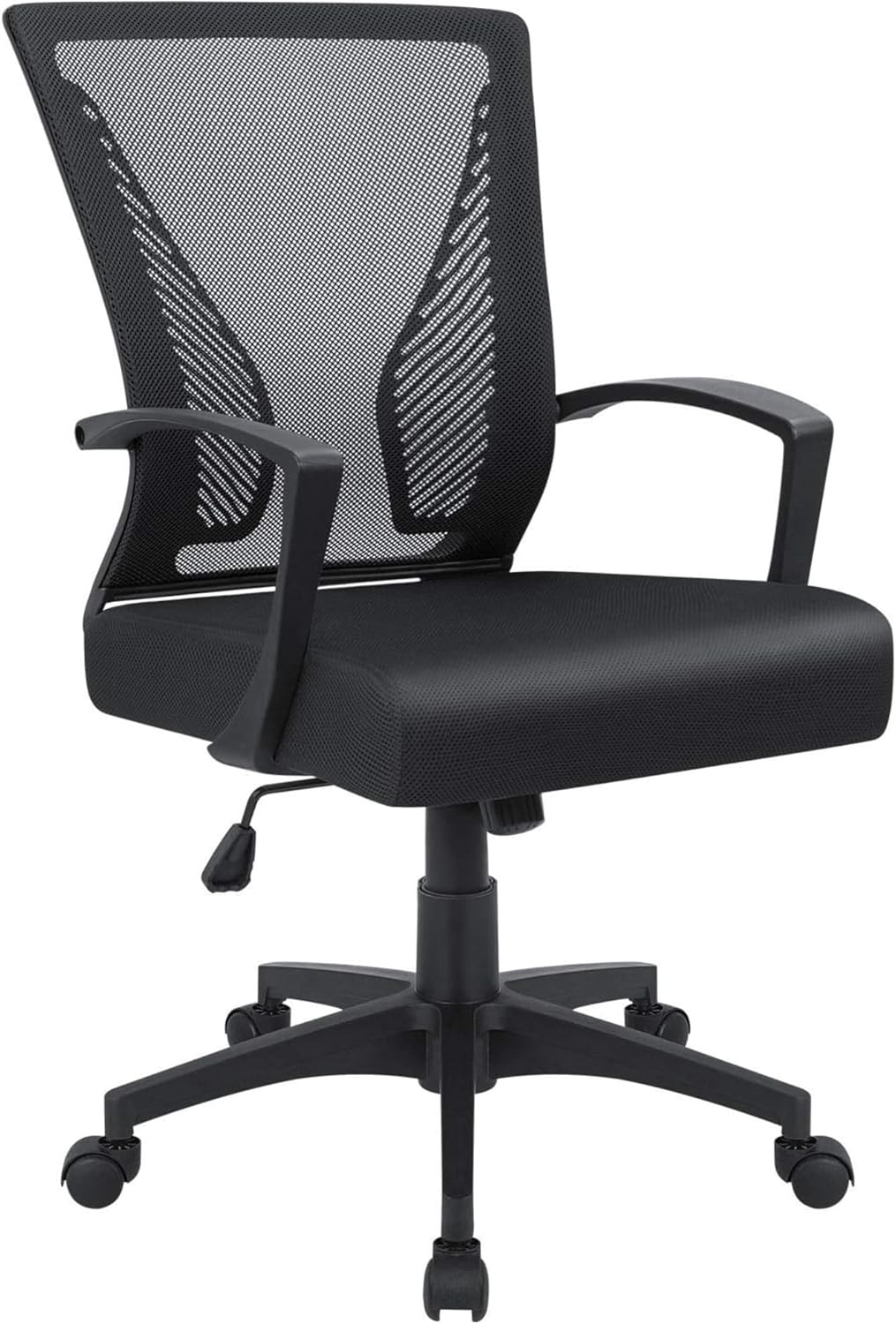
If tightening and lubrication do not stop the noise, or you find a cracked base or seat plate, these three chairs from our guides to the best office chairs for long hours and the best small office chairs cover different needs: a HON mid-back mesh task chair for full workdays, a BestOffice big and tall mesh chair listed for up to 400 lb, and a compact Furmax mesh chair for smaller rooms. Check each listing for the base, caster and warranty details before you buy, since those are the parts this guide shows can wear first.
Affiliate disclosure: As an Amazon Associate I earn from qualifying purchases. Links to Amazon in this article are affiliate links. Learn more.

Pros
- Arms adjust for height and width
- Adjustable lumbar, tilt mechanism
- Lifetime warranty per listing
Cons
- Listing gives one seat height, no range
- No headrest; casters listed for hard floors
Pros
- Listed for up to 400 lb
- Thick, wide cushioned seat
- Heavy-duty metal base
Cons
- Arms adjust for height only
- Seat specs in listing are inconsistent
Pros
- 19.7 x 19.7 in footprint
- Arms plus reclining backrest
- Seat height 16.5 to 20.5 in
Cons
- Fixed arms need desk clearance
- Long 19.7 in seat for shorter users
Frequently Asked Questions
Can I use WD-40 on a squeaky office chair?
Corsair suggests WD-40 spray for its gaming chairs. WD-40 says its Multi-Use Product lubricates but is not a grease, and it lists polycarbonate and clear polystyrene plastics as surfaces to avoid. Its Specialist Silicone Lubricant is listed as safe on most metals, plastics, rubbers and vinyl. Try either one on a hidden spot first and keep it off upholstery.
Why does my office chair squeak when I lean back?
Leaning back moves the tilt mechanism and the seat tension spring, so those are the most likely sources. Corsair recommends removing the tension knob and lubricating the spring inside, after you have tightened the bolts that hold the seat to the mechanism.
Why does my chair squeak only when I roll it?
The casters are the likely cause, often because hair or debris has wrapped around the axle. Clean the wheels, then spray a little lubricant on each one and roll the chair to spread it, as Corsair describes.
Will tightening the screws void my warranty?
Tightening fasteners that you installed during assembly is routine maintenance that makers such as IKEA recommend. Modifying parts is different: Steelcase’s warranty excludes alteration or modification of the product. If you are unsure, contact the maker before you disassemble anything.
Is a squeaky office chair dangerous?
Usually it is just loose hardware or dry joints. A squeak or creak that comes with a crack, a wobble or a seat that shifts on the base is different. Stop using the chair, as The Seating Shoppe’s guidelines advise for damaged chairs, and contact the manufacturer.
Conclusion
Most squeaky office chairs need nothing more than a screwdriver and a hex key. Find the exact source, check the manual and warranty, tighten every fastener, then lubricate the tilt mechanism, tension spring and casters with a product suited to the materials. If the noise returns quickly, or you find a crack or a wobble, stop there and contact the maker, because those are signs of a repair or warranty claim rather than a maintenance job.
Sources
- Corsair, How to: Fix squeaking noises in your gaming chair
- Trust, It sounds like a squeak when the chair moves. What can I do?
- IKEA, What should I do if IKEA furniture creaks, is damaged or needs to be disassembled?
- The Seating Shoppe, Maintenance Guidelines (PDF)
- WD-40, WD-40 Specialist Silicone Lubricant
- WD-40, What WD-40 Multi-Use Product Is Safe On (and What to Avoid)
- WD-40, Myths, Legends and Fun Facts
- Herman Miller, Warranty and Service
- Steelcase, Limited Lifetime Warranty for Americas (PDF)
- OSHA, Computer Workstations eTool: Chairs
- iFixit, Rolling Office Chair Wheel Disassembly (community repair guide)
About the author

HomeOfficeAid writes reviews and buying guides for HomeOfficeAid.